
Program and UI review
This page provides guidance on completing a program and UI review for your software's integration with Tango. Before accessing production API credentials, your integration must pass Tango's review. This ensures a seamless and positive experience for end users. During the review, Tango evaluates the end-to-end recipient experience and makes recommendations to ensure a positive participant experience.
All API integrations must be reviewed and approved by Tango. In some cases, approval is also required from our brand or banking partners.
What's required?
- Details submissions: Provide information about your use cases, recipient types, and the recipient journey.
- Marketing Review: Submit marketing materials showing how users sign up and redeem rewards.
- Approval Process: Complete a worksheet or schedule a live demo with Tango. Reach out to your Customer Success Manager (CSM) or email [email protected] if you don't have a direct contact with Tango.
Review process
Follow the steps below to complete your program review:
- Notify your Tango contact: Send an email or message to your Tango representative confirming you’re ready to start the review. They will verify if any requested brands require direct approval.
- Download and complete the Program review and brand approval worksheet (or arrange a live demo). Include screenshots that clearly highlight the specific brand being reviewed. See Program review and brand approval worksheet.
- Submit the worksheet to your Tango contact: Send the completed worksheet (or confirm demo details). Tango will review and, if needed, forward it to retail partners for feedback and approval.
- Respond to feedback Provide updated screenshots or make requested changes promptly if retail partners or Tango request revisions.
- Receive production access. Once approved, Tango will grant you production API credentials. Brands requiring direct approval will appear in your production catalog only after approval is finalized.
Note:
- The worksheet is mandatory for direct brand approval.
- Screenshots must highlight the specific brand.
- Brands that require direct approval will not appear in your production catalog until approval is granted.
Readiness checklist
The following table provides a readiness checklist for your software integration with Tango API. It outlines critical areas to review—such as catalog handling, security, funding, ordering, and error management—along with test cases and supporting documentation. Completing these checks will help ensure a smooth program review process.
Your software must have the following requirements:
| Category | Requirements | Resource |
|---|---|---|
| Catalog |
| Design for change in your catalog |
| Security |
| |
| Funding | Validate the flow of funds before order placement | Manage funds |
| Order |
| |
| Error handling |
| Response classes and error messages |
What does the program review and approval worksheet collect?
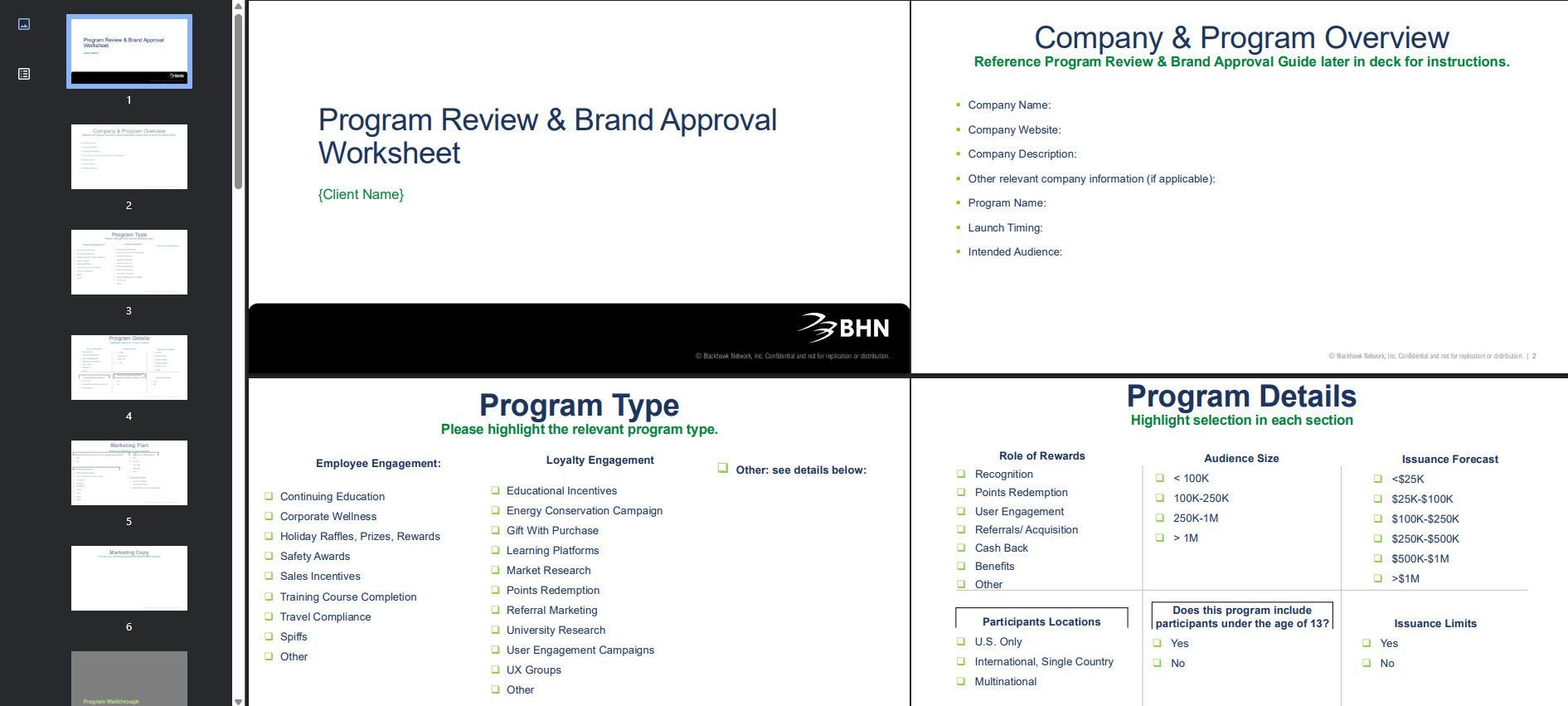
The Program review and brand approval worksheet collects comprehensive information needed to evaluate your reward program for compliance and approval, including an overview of your company and audience, the purpose and structure of your program, participant locations and expected scale, how and why rewards are issued, and projected issuance volume. It also gathers details on marketing plans and brand promotion, required brand display elements such as approved names, images, and disclaimers, and documentation of the full participant experience—from sign‑up and earning rewards to redemption and delivery—supported by screenshots that clearly show how specific brands are presented.
Program review and brand approval worksheet
What's next?
After approval, via the Tango Portal, access your production API credentials and select and create the authentication method to secure your data.
Once your review is completed and brands are approved, you'll be invited to your Tango portal to access the API credentials for your production account. Follow the instructions in this API guide to retrieve your client credentials and service account credentials (OAuth 2.0), or your platform name and API key (Basic Auth). Determine if you'd like to use OAuth 2.0 or Basic Authentication to secure your data. See Secure your data with Tango API.
Updated 4 days ago